Keep your readers. Replace the box.
Access Controller is a drop-in replacement for the controller in any Wiegand-based door system. Your readers, locks, wiring and the fobs already in people's pockets stay exactly where they are. Swap the old panel for ours and manage every door from one cloud panel.
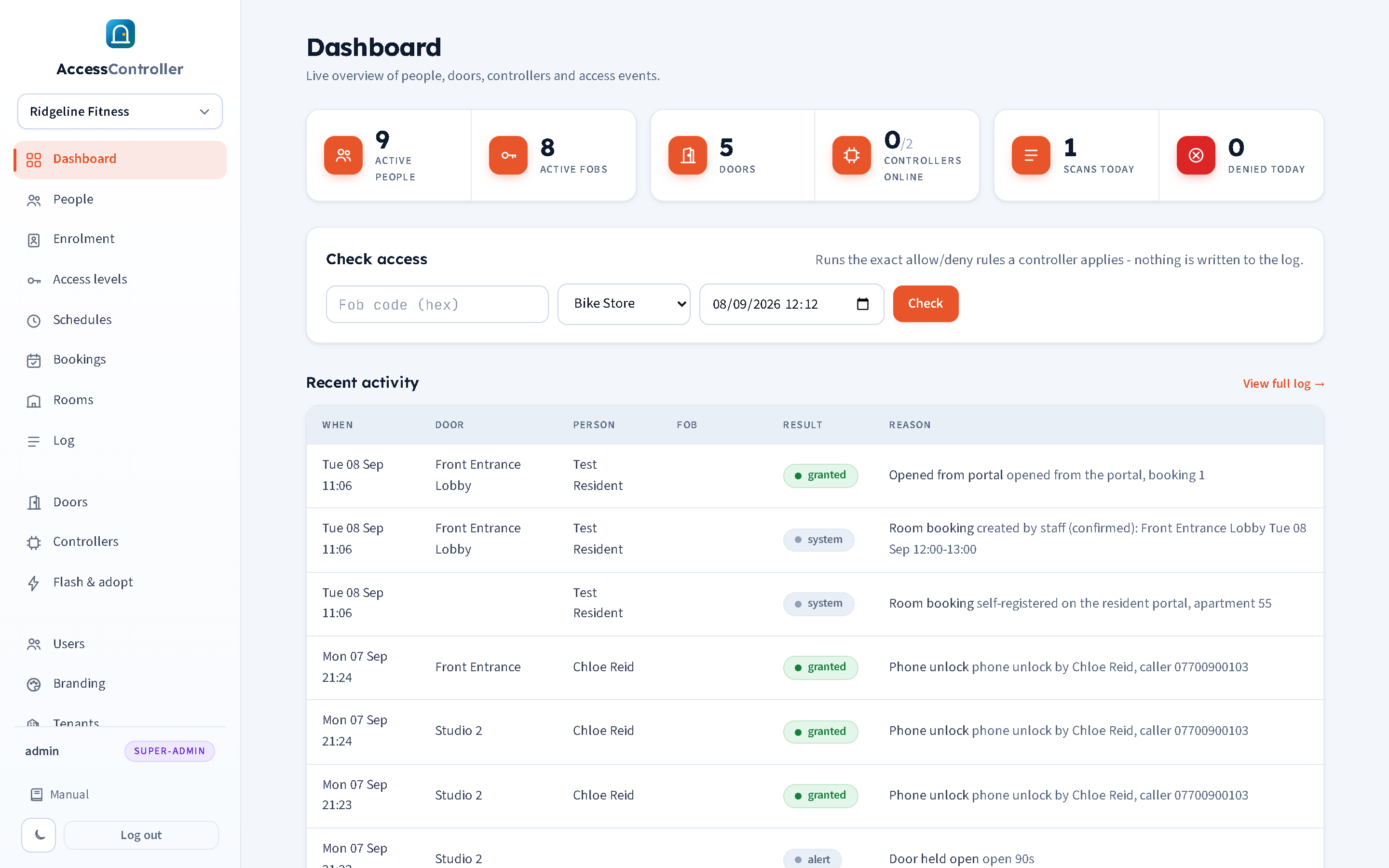
Already have Paxton, Kantech, ZKTeco or a no-name kit? Keep it. Replace only the box.
Almost every door system installed in the last twenty years uses the same parts: Wiegand readers, 12V strikes or maglocks, exit buttons and door contacts. Access Controller reuses all of it.
- Any Wiegand 26/34-bit reader. Proximity, MIFARE, keypad-with-fob, QR.
- Existing fobs and cards keep working. The code is read straight off the reader, so nobody needs a new credential.
- Standard relay output for strikes and maglocks, exit button and door contact inputs, fail-safe or fail-secure per door.
- One-door and two-door boards, PoE or Wi-Fi, fit in the same enclosure the old panel came out of.
- Migrate site by site. Each door can be swapped in minutes and works alone if the network drops.
- No licence per door, no on-site server, no vendor lock-in on readers.
Fobs, phones and schedules. One panel, every door.
Built for gyms, offices, apartment blocks and the providers who look after them.
Doors and hardware
Standard Wiegand readers, strikes and maglocks, exit buttons and door sensors. Per-door fail-safe or fail-secure, configurable relay pulse, held-open and forced-door alerts, remote unlock.
People and fobs
Photos, contact details and notes. Multiple fobs per person, revoke in one click. Enrol by scanning at any door, enrolment mode at the doors you choose, bulk changes, a 30-day trash, CSV import and export, webcam photos, and a "check a fob" tool.
Access levels and schedules
Group doors and a schedule into levels like "Members", "Staff" or "24/7". Guided weekly editor with presets, copy-to-weekdays and a visual timeline. Changes reach every controller within seconds.
Room bookings
Make a door bookable and residents reserve it on their own phone, free or paid. A confirmed booking opens that door for their slot and nothing else, by portal button, phone call or fob. No card reader needed.
Bring the old system across
Import from a spreadsheet or straight from an AC8000 / iCCard3000 backup: people, cards, door names and the whole swipe history, read in your browser, previewed before anything is written.
Phone access
One number opens doors at every site. Known callers are recognised by caller ID; guests in apartment mode enter a flat number and PIN. Members can even enrol a new fob over the phone. Runs on your PBX or ours.
Reception screen
A live full-screen page for a laptop or wall monitor. Photo and name the moment someone fobs in, granted or denied, with today's counts and recent entries. Secure link, no login.
Log and reporting
Every scan, unlock, denial and system event with time, door, person and reason. Filter by door, person and outcome. Dashboard tiles for people, fobs, doors, today's activity and controller health.
Multi-site and multi-tenant
Each customer is a tenant with its own people, doors, settings, users and branding. Providers get a super-admin view of every tenant and can switch in to work inside any of them.
Roles and permissions
Fixed roles for super admin, admin and view-only, plus custom roles built by ticking pages in a tree: view or change, per page. View-only users see no edit controls at all.
Security
HTTPS with automatic certificates, authenticated MQTT to controllers, bcrypt passwords, CSRF protection, hashed PINs, lockouts and rate limits on the phone API, and a full audit trail.
Open the door with a phone call. No app to install.
One phone number opens doors for every site. Known callers are recognised by caller ID: if they have one door it opens straight away, if they have several a short keypad menu picks one.
- Apartment mode for guests. Callers enter the apartment number then a PIN. Ideal for holiday lets and Airbnb: give a guest a code, change it after they leave.
- Your PBX or ours. Asterisk and MiRTA PBX are supported out of the box, with a simple HTTPS API for anything else.
- Built to be abused and shrug. Wrong-PIN lockout with escalating backoff, per-source rate limiting, and every call logged with the number and outcome.
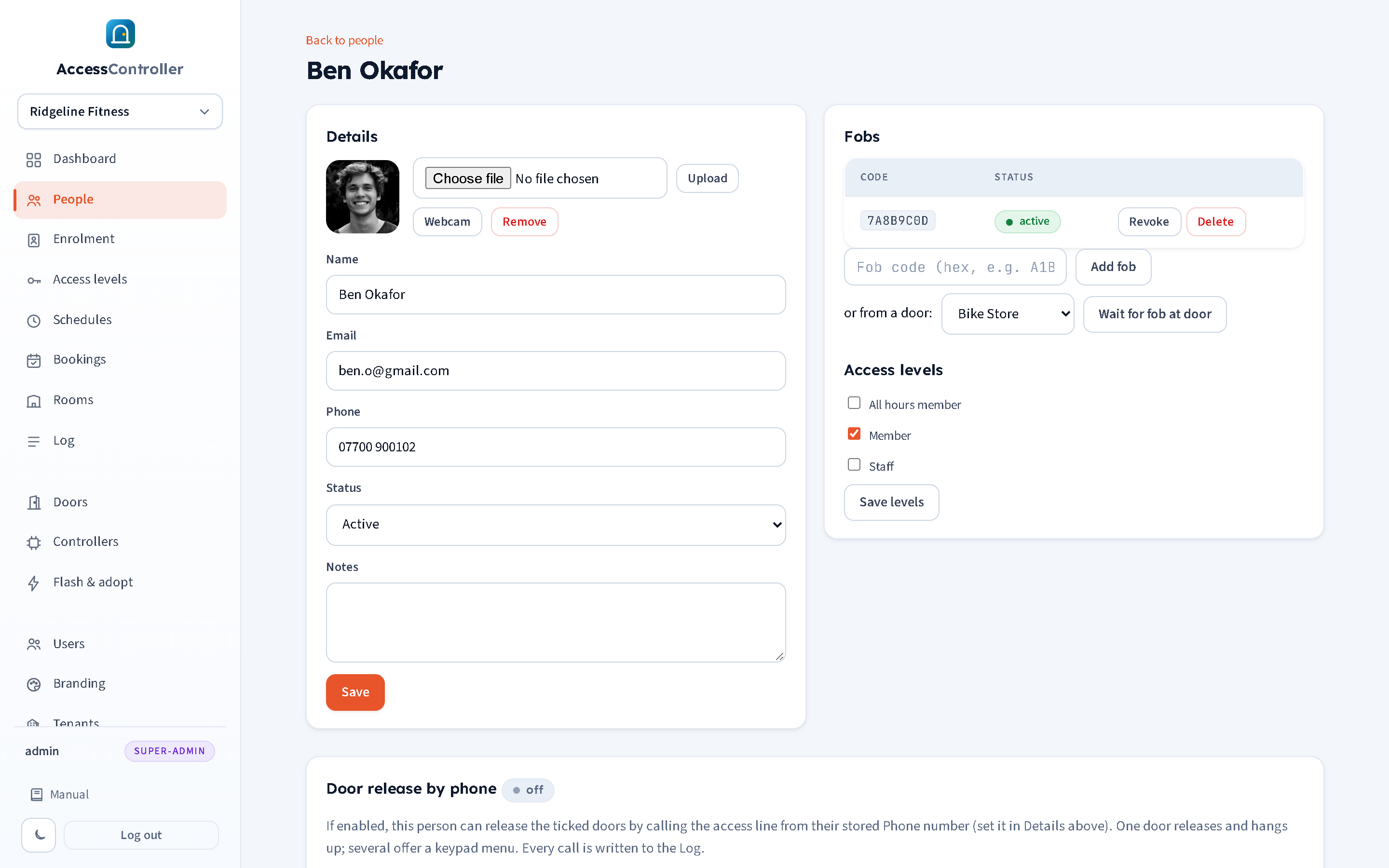
See who just walked in, the second they fob in.
A live full-screen page for the laptop or wall monitor at the front desk. Each person's photo and name appears the moment they scan, granted or denied, with recent entries down the side and today's scan and denied counts at the top.
- Pick which doors each screen watches.
- Secure link, no login needed on the screen itself.
- Regenerate the link at any time from the panel.
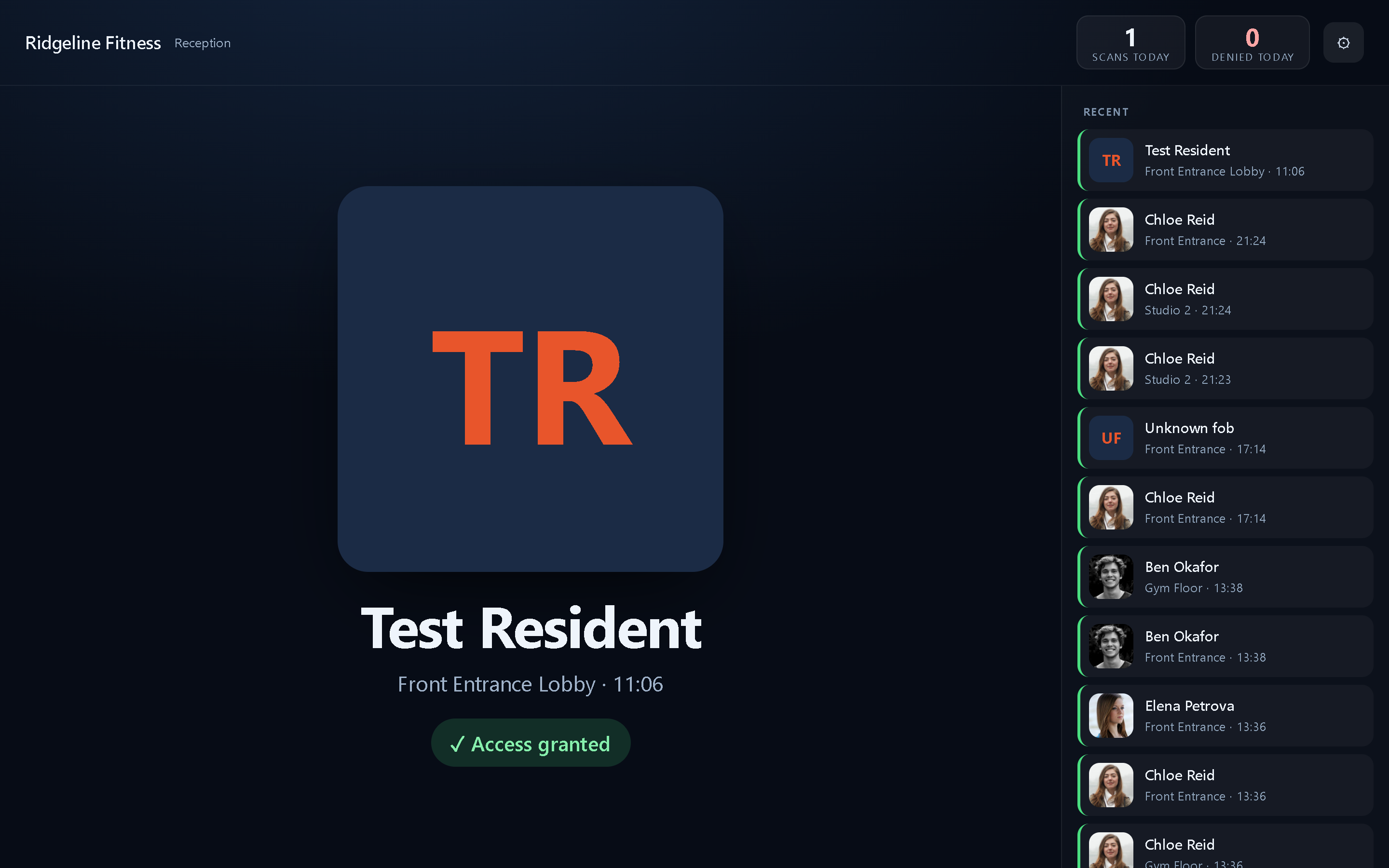
Built for the places where the door is the business.
Gyms and studios
24/7 member access, staff hours, class studios on their own schedule, and a reception screen that shows who just came in.
Offices and workshops
Staff fobs with working-hours schedules, visitor release by phone, and a log that tells you who opened what and when.
Apartments and holiday lets
Residents by fob or phone, guests by apartment number and PIN. Change the code when the guest leaves; no key handover.
Providers and MSPs
Run many sites from one login. Each customer is its own tenant with its own branding; you see all of them and switch in when needed.
From old panel to cloud panel in four steps.
Swap the box
Power down, unscrew the old controller, and move the reader, lock, exit button and door contact wires across to the Access Controller board. The readers, locks and cabling stay put.
Flash and adopt in the browser
Plug the controller into a laptop by USB (or connect over Bluetooth), open the panel's flash and adopt wizard, pick the type, flash it and give it its Wi-Fi or network details. No installer software.
Add people and schedules
Import from a spreadsheet or enrol fobs at the door. Build access levels and weekly schedules with the guided editor. Everything pushes to the controllers in seconds.
Done
Manage it from anywhere. Add the phone number, put a reception screen on the front desk, and move on to the next door or the next site when you are ready.
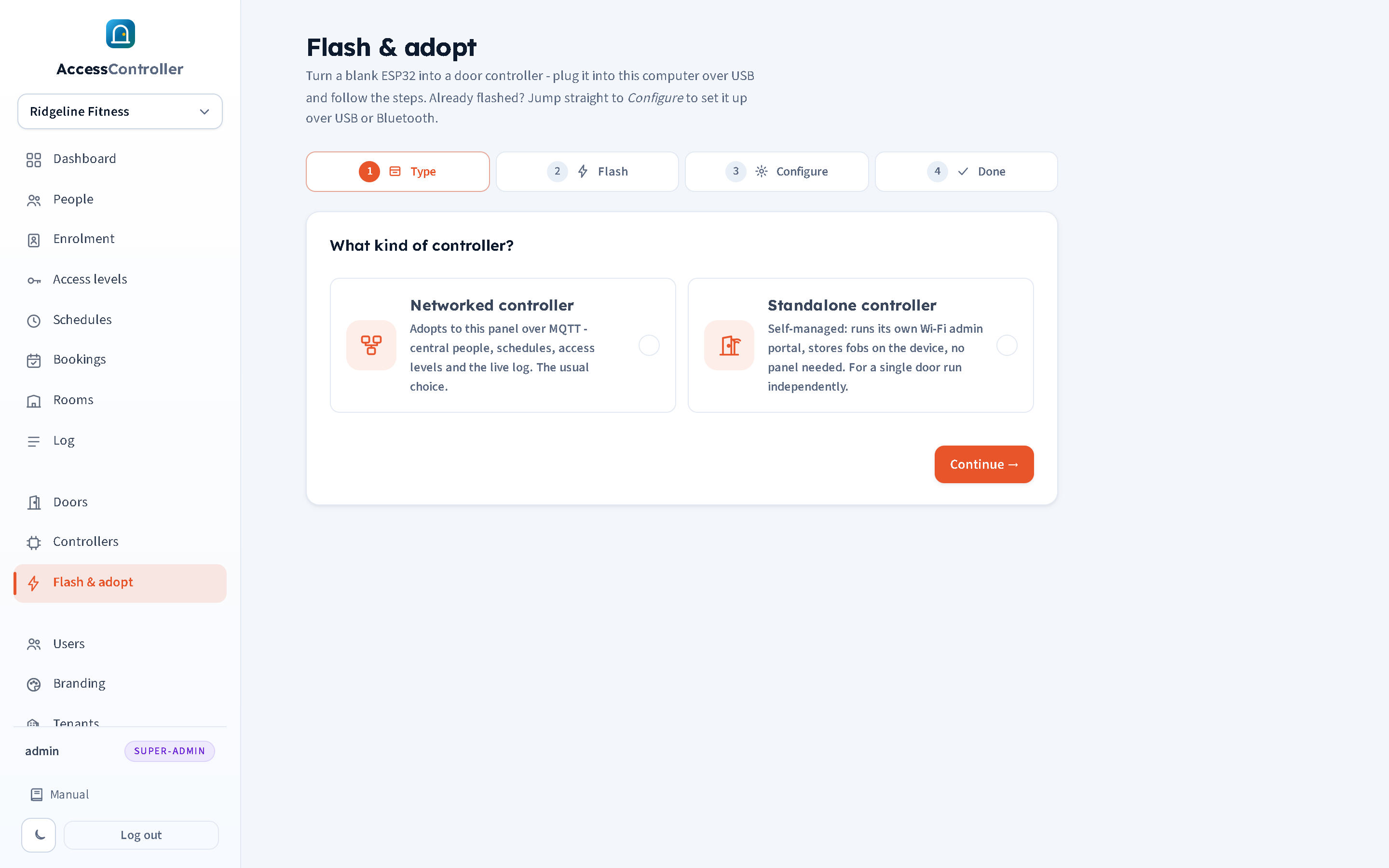
Simple pricing. No per-door licences.
A hosted subscription per site, plus the controller hardware per door. Or self-host it on your own server.
Per site, per month
- Unlimited people, fobs and doors per site
- Phone access on our hosted PBX or yours
- Reception screens, roles and audit trail included
- Over-the-air firmware updates
- Multi-tenant provider view for MSPs
Per door, one-off
- Single-door and dual-door boards
- Wireless (Wi-Fi) or wired (Ethernet), PoE option
- Fits the enclosure the old panel came out of
- Works offline if the link drops
- Self-hosted option: one small binary on your own server
Straight answers.
What happens if the internet connection drops?
Nothing that anyone at the door will notice. The access list lives on the controller itself, so fobs keep opening doors and schedules keep applying. Events are held on the controller and sent to the panel when the link returns. What you lose while offline is the live view and the ability to push changes; phone release also needs the panel to reach the controller, so it pauses until the link is back.
Will our existing fobs and cards work?
Yes, as long as your readers speak Wiegand (26- or 34-bit), which covers the vast majority of proximity and MIFARE readers. The controller reads the code straight off the reader and matches it against the people you have set up. You can import the codes from a spreadsheet, or use enrolment mode to capture a batch of fobs at the doors you choose and then assign names.
We are coming off an AC8000. Do we have to retype everyone?
No. If you can find a backup of the old software's database (an .mdb file), the import wizard reads it in your browser and brings across the people, their card numbers, the door names and the entire swipe history with its original dates and times, so your log starts full rather than empty. You preview it, tidy the door names, tick the access levels everyone should get, and only then is anything written. Lapsed or disabled members arrive switched off rather than switched on. A plain CSV export from any other system works the same way.
Can residents book the shared lounge, gym or laundry?
Yes. Make the door a room, set its opening hours, slot length and price (or leave it free), and residents book it on their own phone at your own web address. A confirmed booking opens that door for their slot and nothing else, and it does not need a card reader on the wall: they can open it from the booking page, or by ringing the access line from the mobile they booked with. Payment is by card through Stripe or by bank transfer with a reference your staff mark paid.
Do you support two doors from one controller?
Yes. The dual-door model runs two readers and two relays from one unit, with reader and relay mapping per door (channel 1 and channel 2) set in the panel. Single-door boards are available where that is a better fit for the cabling.
Fail-safe or fail-secure?
Both, chosen per door in the panel. Fail-safe (typically maglocks) unlocks when power is lost; fail-secure (typically strikes) stays locked. The right choice depends on the door, the lock and your fire strategy, and we will talk it through with you during the survey. The relay pulse length is also configurable per door.
Can caller ID be spoofed? Is phone release secure?
Caller ID can be spoofed, so we are honest about where dial release fits. It is a convenience for known people on doors where the risk is low, such as a gym floor or an office front door during the day, and it always leaves a logged record with the number and outcome. For anything that needs more assurance, apartment mode adds a PIN on top of the call, and PIN attempts are rate-limited with escalating lockout. For high-security doors, use fobs and schedules.
Can we self-host instead of using the hosted service?
Yes. The whole system is a single small binary with an embedded database and MQTT broker. It runs on a low-cost cloud VM or on-premise, takes minutes to install and is one file to back up. Hosting by 2plus1 adds monitoring, updates and support; self-hosting is there for customers who need the data to stay on their own kit.
Where is our data held, and what about GDPR?
Hosted tenants run on servers operated by 2plus1 in the UK, and each customer's data is held in its own tenant, separate from every other customer's. Names, photos, fob codes and the access log are personal data, so you remain the data controller and we act as your processor under a written agreement. Self-hosted customers hold everything themselves. See the privacy notice for the detail.
How is the connection between the controller and the panel secured?
Controllers talk to the panel over authenticated MQTT, and the panel itself is served over HTTPS with automatic certificates. Passwords are hashed with bcrypt, PINs are stored hashed and never displayed, the panel has CSRF protection and per-session tokens, and the secret links for reception screens and the PBX can be regenerated in one click.
How do we install a new controller without an installer?
Through the browser. Plug the controller into a laptop by USB (or connect over Bluetooth), open the flash and adopt wizard in the panel, choose the controller type, flash it, and enter the network details. It then appears in the controller pool ready to be assigned to a tenant and a door. Later firmware updates go out over the air from the panel.
Can we move sites over one at a time?
That is how most customers do it. Because the readers, locks and fobs are reused, each door is a short job and each site can be migrated on its own day. Doors on the old system and doors on Access Controller can coexist while you work through the estate.
Tell us about your doors.
We are 2plus1, an IT and telecoms business in Leeds, West Yorkshire. Send a few details and we will come back with a demo slot, a straight answer on whether your current readers are supported, and a quote.
Prefer to talk? Use the contact details on 2plus1.com.
We only use what you send to reply to your enquiry. See the privacy notice.